
How to Pick a Winner on TikTok (Step-by-Step 2026)
You ran the giveaway, the comments poured in, and now you have to do the one part that actually decides whether people trust you: pick the winner. TikTok gives you no built-in way to do this. No button in the app draws a fair name from your comments, so every creator ends up choosing between picking by hand, which is slow and easy to dispute, or using a comment picker, which is fast and provable.
This is the full step-by-step for picking a winner on TikTok in 2026, from the moment your giveaway closes to the moment you announce the result. Follow it in order, and the selection will be quick, fair, and something you can show on camera without anyone questioning it.
Before you pick: close the giveaway cleanly
A fair draw starts before you touch any tool. The instant your deadline passes, stop counting new entries. If your rules said the giveaway ends Friday at 11:59 PM in a specific time zone, then comments posted after that do not qualify, and a good picker lets you respect that cutoff.
Have your rules in front of you. You decided how people enter, how many winners there are, and what counts as a valid entry. Maybe entry required commenting a keyword, tagging a friend, or following you first. Those rules are what you will enforce in the next steps, so they need to be clear in your mind before you draw. If you never wrote formal rules, that is worth fixing for next time, and the guide to official giveaway rules explains when they matter and includes a template.
Step 1: Copy your TikTok video link
Every comment picker works from the URL of the giveaway video, so that is the first thing to grab.
On the mobile app, open the giveaway video, tap the Share icon on the right side of the screen, which looks like a curved arrow, and choose Copy Link. If you do not see the arrow, the three-dots menu has the same option. On desktop, open the video at tiktok.com and copy the address straight from your browser's address bar, or use the Share button on the video and pick Copy Link.
That link is the unique address of your giveaway video. Paste it somewhere for a second to make sure you grabbed the right one, because pulling comments from the wrong video is a surprisingly common mistake.
Step 2: Open a comment picker and load the comments
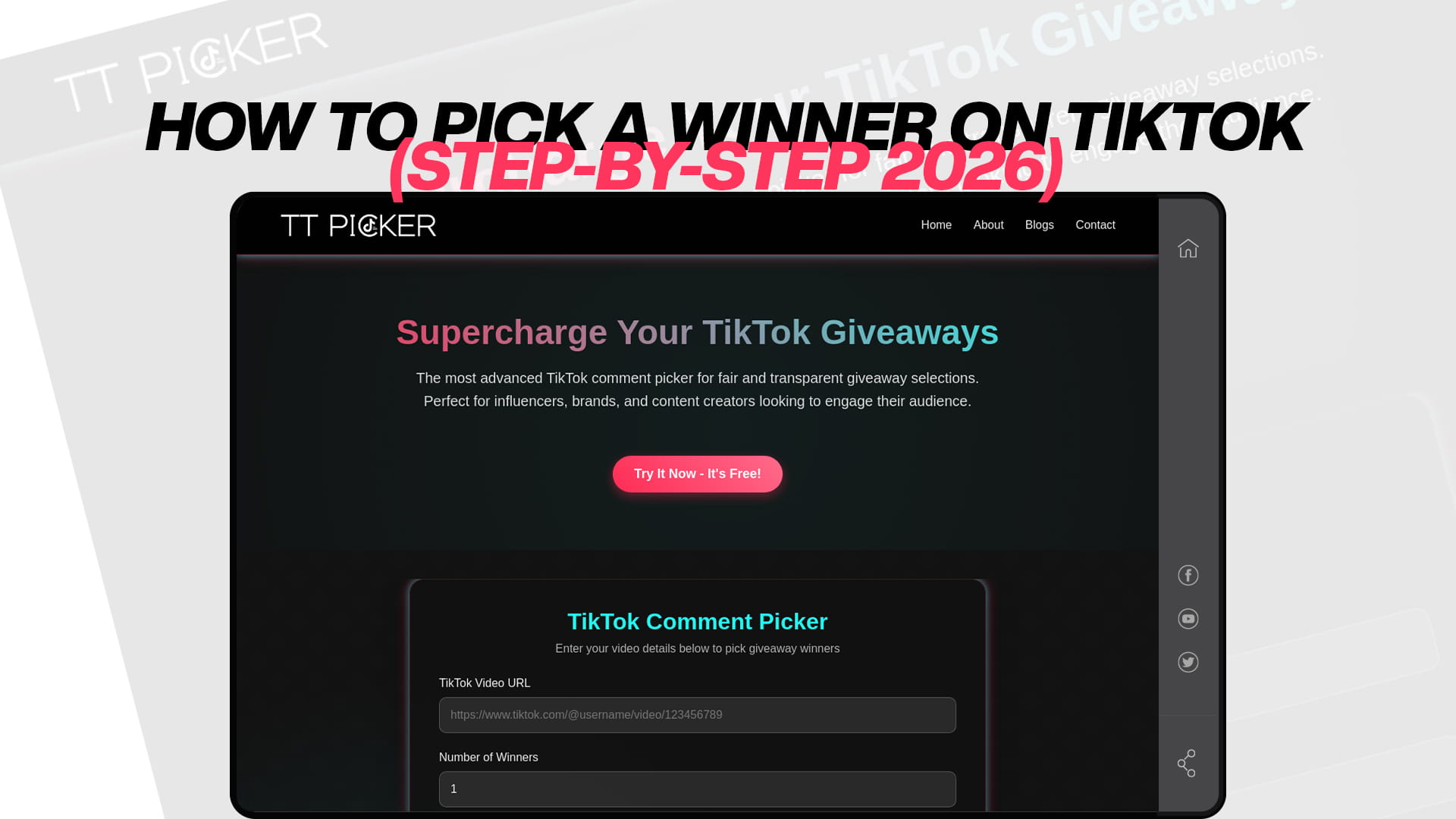
With your link copied, open a TikTok comment picker in your browser. A dedicated tool like TT Picker needs nothing more than that URL. Paste it into the input field and the tool pulls the comments from your video in real time, including ones posted in the final minutes before your deadline.
This is the step that saves you the most time. Instead of scrolling through hundreds or thousands of comments and trying to keep track manually, the tool gathers them all into one eligible pool in seconds. If you are running a large giveaway, make sure the tool you choose does not cap the number of comments it will read on the free plan, because some do, and hitting that wall mid-draw is frustrating.
Step 3: Apply your filters so only valid entries count
Loading the comments is not the same as picking from them. Before you draw, narrow the pool down to genuine entries that followed your rules. This is where a good picker earns its place.
If an entry required a specific keyword, use keyword filtering so only comments containing that word are eligible. If someone commented ten times to boost their odds, duplicate filtering collapses them to a single fair entry, which keeps the draw honest. You will also want to exclude your own account and any helpers, and you can remove previous winners if your rules say a person can only win once. The point of all this is simple: the pool you draw from should contain only people who actually did what you asked. Stripping out repeat entries is so important to fairness that there is a whole walkthrough on running a comment picker without duplicates.
Step 4: Set how many winners you need
Decide whether you are drawing one winner or several. If you promised three prizes, you want to pull three winners, and ideally a backup or two in case someone does not respond.
A capable picker lets you select multiple winners in a single draw rather than running the tool over and over, and it removes each winner from the pool so nobody gets picked twice. If your giveaway has tiered prizes, this is how you handle it cleanly in one pass. There is a full explanation of multiple winner selection if you are awarding more than one prize.
Step 5: Draw the winner
Now the actual pick. With your filters set and your winner count chosen, run the draw. The tool selects from the eligible pool at random and shows you the result.
How the randomness works matters more than people think. The strongest tools use a cryptographically secure random method, which means the result cannot be predicted or nudged, and they show you the eligible comments they drew from so the outcome is transparent rather than a black box. That visible pool is what lets you prove the draw was clean. If you want to understand the mechanics behind it, here is how a picker selects winners randomly.
Step 6: Record the draw for proof
This single habit separates a giveaway people trust from one they quietly suspect. As you run the draw, screen-record it or take a screenshot showing the eligible comments and the selected winner.
You are not doing this for fun. TikTok's 2026 giveaway policy pushes creators toward transparency, and a recording is the cleanest proof you have that the result was not rigged. When you post your winner announcement, you can share or reference that recording, and any runner-up who feels unlucky can see for themselves that the draw was fair. It takes ten seconds and saves you from arguments that can damage your reputation.
Step 7: Verify the winner meets your rules
Before you announce, do a quick check. Does the winner actually satisfy everything you required? If your rules said entrants had to follow you, this is the moment to confirm the winner follows you, because a tool cannot automatically verify a follow or a like, only the comment.
If the drawn winner did not meet a condition, your rules should already say what happens next, usually that you draw an alternate. This is exactly why you pulled backup winners in step four. Disqualifying someone is far less awkward when your published rules anticipated it.
Step 8: Announce the winner the right way
How you announce is part of the fairness story. Reveal the winner publicly, ideally in a follow-up video or a TikTok LIVE where you show the draw, rather than quietly editing a name into a caption that nobody can verify.
Tag or name the winner, tell them how to claim the prize, and give a clear deadline for them to respond. State up front what happens if they go silent, so you are covered if they never reply. And never ask a winner to pay anything to claim a prize, since that is a hallmark of giveaway scams and it makes your legitimate contest look suspect. A clean, public announcement closes the loop and sets up your next giveaway to perform even better.
Step 9: Deliver the prize and keep the goodwill
Send the prize within the window you promised. If you said you would ship within a week, ship within a week. Late or forgotten prizes are the fastest way to undo all the trust your fair draw just built.
Following up matters too. A quick thank-you, a repost of the winner enjoying the prize, or a simple "more giveaways coming soon" keeps the momentum going and turns one-time entrants into a community that watches for your next contest.
Why not just pick by hand?
It is tempting to scroll, stop on a comment, and call it random. The problem is that it is neither random nor provable. Human picking is biased toward comments near the top or ones you happen to like, it is painfully slow on a popular video, and it gives you nothing to show a skeptical runner-up.
A comment picker fixes all three problems at once. It is genuinely random, it handles thousands of comments in seconds, and it produces a result you can record. That combination is the entire reason these tools exist, and it is why the creators who look most professional almost never pick by hand. If you want a deeper walkthrough of the comment-based draw specifically, here is the guide to picking a winner from TikTok comments online.
Picking a winner from a TikTok LIVE giveaway
LIVE giveaways work a little differently from a regular video, because the action happens in real time rather than on a fixed post you draw from afterward. If your prize comes from a TikTok Shop, you are also required to use TikTok's official LIVE Giveaway feature rather than running the draw through an outside tool, and the two allowed entry methods are join to win, where viewers enter by joining and interacting, and comment to win, where they enter by commenting during the stream.
For a non-Shop LIVE giveaway, many creators still funnel entries into comments. They ask viewers to comment a keyword during the stream, then after the LIVE ends they treat the comments on the saved video or a dedicated giveaway post as the entry pool and draw from there exactly as described above. The key rule to remember is that you cannot ask viewers to send paid gifts or coins to enter, because that turns a free giveaway into a pay-to-enter promotion, which crosses a legal line and breaks TikTok's policy. Keep LIVE entry to commenting and joining, never to spending.
Mistakes that make a fair draw look rigged
You can run a perfectly honest draw and still lose your audience's trust if you present it poorly. A few avoidable mistakes do the damage.
Announcing a winner with no visible process is the big one. If a name simply appears in your caption with no recording and no eligible pool shown, people have only your word that it was random, and on the internet that is rarely enough. Picking a winner who clearly did not follow your own rules is another, since it makes the whole thing look arbitrary. Changing the rules after the giveaway has started, quietly extending the deadline, or drawing again because you did not like the first result will all read as manipulation even when your intentions were innocent.
The fix for every one of these is the same: decide your rules up front, draw once from a clean pool, record it, and show it. Transparency is not just about being fair; it is about visibly being fair, and the two together are what keep people entering.
A quick recap of the steps
To pick a winner on TikTok in 2026: close the giveaway at your stated deadline, copy the video link, load the comments into a picker, filter down to valid entries, set your winner count, run the random draw, record it for proof, verify the winner meets your rules, announce publicly with a claim deadline, and deliver the prize on time.
None of it is complicated, and most of it takes only a couple of minutes once your comments are loaded. The effort you put into doing it transparently is what people remember. A winner picked fairly and shown openly does not just settle one giveaway; it makes everyone more willing to enter the next one. If you want to see how this final step fits into planning and running the whole promotion, the step-by-step guide to running a TikTok giveaway covers the campaign from start to finish.