
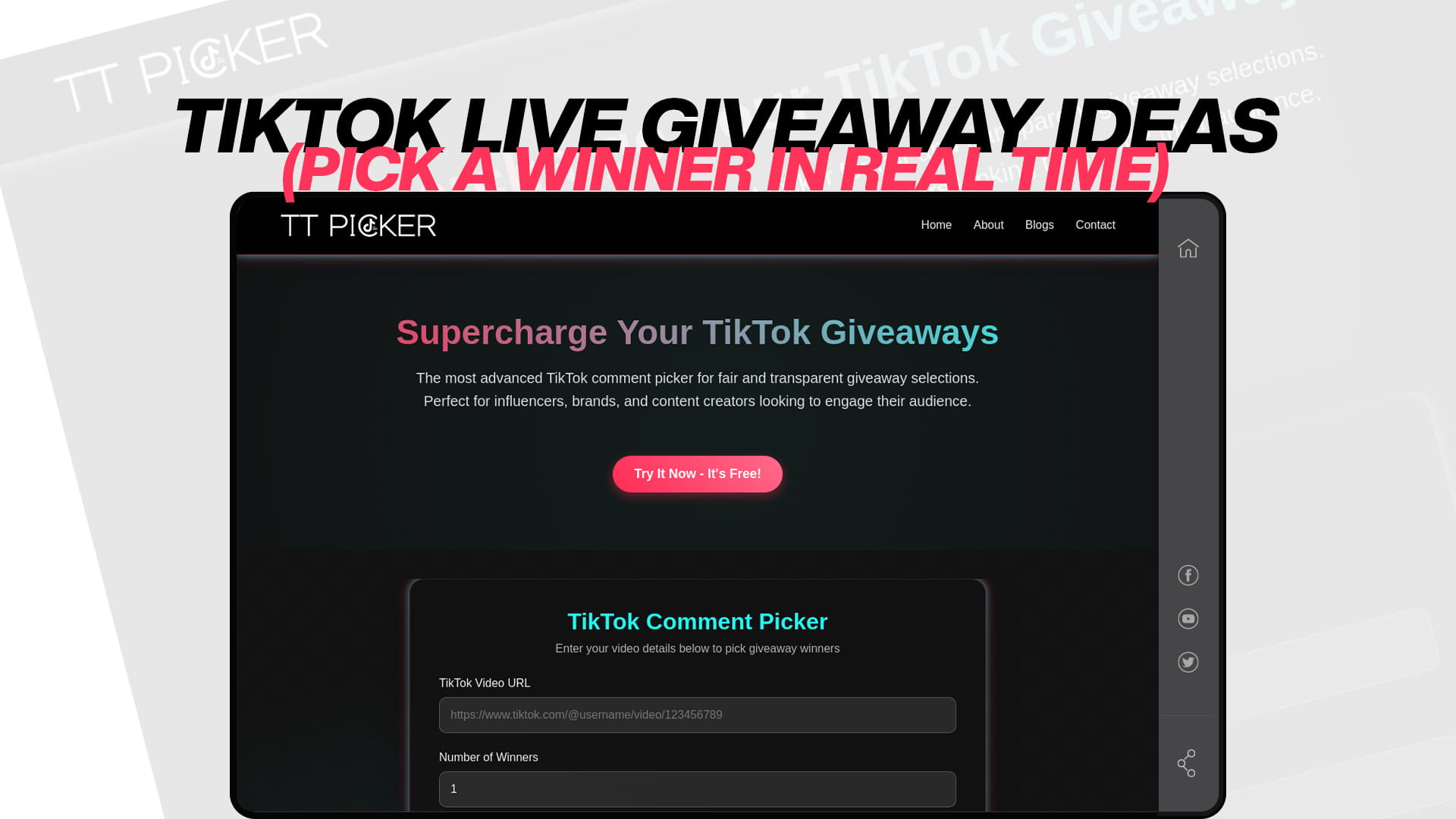
TikTok LIVE Giveaway Ideas (Pick a Winner in Real Time)
A TikTok LIVE giveaway is one of the most electric content formats available on the platform. When viewers know they could win a prize within the next few minutes simply by watching and commenting, they stay. Watch time climbs. Comment velocity spikes. New viewers join because the live room shows activity. And when you pick the winner transparently, in real time, your entire audience sees the moment unfold — which is far more memorable than a winner announcement posted the next morning on a static post.
But running a TikTok LIVE giveaway well is not as simple as going live and saying "comment to win." The format requires planning, the right giveaway mechanic for the right goal, and a winner-selection method your audience can trust in the moment. This guide covers every dimension of TikTok LIVE giveaways — from how they work technically to the most engaging formats, real-time winner-picking strategies, and what to do when the live ends.
Why TikTok LIVE Giveaways Are Different From Regular Giveaways
On a standard TikTok post, your giveaway plays out over days. Comments accumulate, engagement builds gradually, and the winner is selected at the end of the entry window. The experience is asynchronous — your audience participates at different times, checks back periodically, and learns about the result through a separate announcement post.
A LIVE giveaway compresses that entire arc into a single real-time session. Participants are present simultaneously. The excitement is shared and collective. The winner is revealed in the moment, to an audience that is actively watching. That immediacy creates a very different emotional experience — and a very different algorithmic outcome.
TikTok's algorithm treats LIVE content as a distinct performance signal. Watch time, concurrent viewers, comment rate, and new followers gained during a live session all factor into how aggressively TikTok distributes your live room to non-followers. A LIVE giveaway that drives viewers to stay watching and keep commenting is essentially a direct lever on every one of those signals simultaneously.
The result: when a LIVE giveaway is well-executed, it does not just reward the winner. It builds the entire channel.
Understanding TikTok's Official LIVE Giveaway Feature (TikTok Shop)
Before diving into formats and ideas, it is important to understand how TikTok's own LIVE giveaway infrastructure works — because it applies specifically to TikTok Shop creators and sellers, and has eligibility requirements that not every creator will meet.
TikTok Shop's LIVE Giveaway feature allows sellers and eligible creators to run structured in-stream giveaways with automated winner selection. The system supports several participation mechanics: joining the live to enter automatically (Join to Win), or commenting a specific phrase to enter (Comment to Win). Winners are automatically selected by the system once the countdown ends.
For creators setting up their own giveaway through this system, a minimum Promotion Performance Score is required. Giveaway items must be physical products valued below $500, and cash or gift cards are not permitted as prizes under TikTok Shop's promotional guidelines. Fulfillment — shipping the prize to the winner — is the creator's responsibility.
This is a powerful feature for TikTok Shop creators running product-focused livestreams. However, many creators run LIVE giveaways outside the TikTok Shop infrastructure entirely, using comment-based entry mechanics they manage themselves and selecting winners from the live chat using external tools. Both approaches are valid. The format you choose depends on whether you are integrated with TikTok Shop and what kind of prize and mechanic best fits your audience.
The Real-Time Challenge: Picking a Winner Transparently During a LIVE
The hardest part of any LIVE giveaway is not the setup — it is the winner selection moment. Your audience is watching live. You need to pick a winner quickly, visibly, and in a way that leaves no room for accusations of bias.
Options range from weak to strong in terms of credibility:
Weakest: Scrolling through live chat comments and pointing at a name. Fast, but entirely subjective. Your audience cannot verify the randomness, and the appearance of control by the host opens the door to skepticism.
Better: Running TT Picker on a post linked to the live or a parallel video. After the entry window closes during your live, you open the TT Picker tool on a shared screen, paste in the giveaway post URL, apply filters, and run the draw on camera. Viewers see the result screen appear in real time. This method works best when entries are collected through a live video's comment section that is also accessible via URL after the live ends.
Most engaging: Running TT Picker live with screen share or camera on your screen, talking through the process step by step. "I'm loading all the comments now — you can see the count. I'm filtering for keyword entries only. Now I'm running the random selection." This narrated, transparent selection is the most powerful trust-building moment a creator can have during a live session. The audience experiences the process alongside you.
Whether you use TikTok Shop's built-in automated selection or TT Picker for comment-based draws, what matters is that your audience can see, in real time, that the result is not under your control.
10 TikTok LIVE Giveaway Ideas That Drive Real Engagement
1. The Countdown Comment Giveaway
The mechanic: announce at the start of your live that you will pick one winner from everyone who comments a specific word before a countdown timer runs out. Set a 5, 10, or 15-minute timer. Keep the energy high throughout by updating viewers on how many entries have come in.
When the countdown ends, open TT Picker on screen (if you are using a parallel post for entries) or use TikTok Shop's automated system if eligible. The result is instant, documented, and visible to everyone still in the live room.
This format is outstanding for keeping viewers engaged throughout the first portion of your live, because no one wants to leave during an active countdown. The longer they stay, the more watch time you accumulate, and the more the algorithm pushes your live room to new viewers.
Best for: Creators of all sizes. Works in any niche. Excellent for opening a live session with immediate energy.
2. The Watch-Time Milestone Giveaway
The mechanic: announce that you will run a giveaway every time a watch-time milestone is hit during the live. "When we reach 100 total viewers, I'm picking a winner. When we hit 200, another winner goes." Each milestone is its own giveaway event.
This format turns the audience itself into the mechanism for triggering prizes. Every viewer who joins knows their presence contributes to reaching the next milestone, which means they are more likely to stay, more likely to invite friends, and more likely to engage to help push the viewer count up.
The psychological pull is strong: viewers who joined at 85 total viewers will not leave when the room is at 97, because they want to be present for the 100-viewer winner selection.
Best for: Creators who want to steadily grow their live room viewer count throughout a session rather than spiking once and tapering.
3. The Follow-to-Enter LIVE Giveaway
The mechanic: ask viewers to follow your account and comment "FOLLOWED" or the specific giveaway keyword to enter. Set a time window — say, 10 minutes — and at the end of that window, pick the winner from comments containing the entry phrase.
This format works especially well for accounts that want to convert live viewers into permanent followers. Every entry is also a follow action, so the giveaway simultaneously builds your audience while running the contest.
For the winner selection, use TT Picker with the keyword filter activated to isolate only the "FOLLOWED" comments, then run the random draw from the filtered pool on screen. The result — showing the winning comment that includes the required entry phrase — confirms to your audience that only followers could have won.
Best for: Creators focused on follower growth during their live sessions, and for accounts in early-to-mid growth phases that want to convert live viewership into retained followers.
4. The Trivia LIVE Giveaway
The mechanic: ask a trivia question during your live and select one winner from everyone who comments the correct answer within a defined window. The question should be relevant to your niche — something your target audience would know but a random passerby might not.
This format is one of the most effective for reinforcing niche community identity. A fitness creator asking a question about training principles, a bookish creator asking about a specific author's work, a cooking creator asking a technique question — the right answer self-selects the most engaged, knowledgeable members of your audience, which are exactly the followers you most want to reward.
After the answer window closes, use TT Picker with the keyword filter set to the correct answer to isolate eligible entries, then run the draw on screen.
Best for: Creators with a defined niche community who want to engage their most loyal and knowledgeable viewers.
5. The Flash Giveaway (No Warning)
The mechanic: announce a giveaway with no advance warning during your live. "We just hit 150 viewers — I'm doing an instant giveaway right now. Comment WIN in the next 60 seconds." Run the entry window, close it, and select the winner immediately.
The unpredictability is the point. Viewers who stay through an entire live session are rewarded for their loyalty without knowing in advance that a giveaway was coming. This builds a compelling reason to watch your lives all the way through, because the good stuff can happen at any moment.
Flash giveaways also create social proof in real time. Other viewers see the explosion of comments, which signals to TikTok's algorithm that engagement is spiking, which can push the live room to more non-followers in that precise moment.
Best for: Creators who go live frequently and want to build a reputation for unpredictable, exciting live sessions that reward consistent viewers.
6. The End-of-Live Grand Prize Giveaway
The mechanic: announce at the start of your live that you will run a giveaway at the end of the session, and that the longer someone stays, the more they can enter. Run multiple small entry moments throughout the live — "drop a 🎁 in the comments right now for extra entries" — and then do the grand draw in the final minutes.
This format is engineered for watch time. Viewers have a concrete incentive to stay all the way to the end: the grand prize draw. And the periodic check-in moments throughout the live ("drop the emoji to get another entry") generate regular comment spikes that refresh the algorithm signal throughout the session.
For the final draw, collecting entries via a parallel giveaway post and running TT Picker's selection during the live creates the most transparent possible moment for the grand prize selection, with a visible result screen your audience can see.
Best for: Creators who do longer live sessions and want to sustain viewer retention from open to close.
7. The Community Milestone Celebration LIVE Giveaway
The mechanic: go live specifically to celebrate a follower or viewer milestone — 500 followers, 1,000 followers, 10K — and run a giveaway during the celebration as a thank-you to your community. The entry mechanic can be as simple as commenting "CONGRATS" or the milestone number.
The emotional framing of this format sets it apart. This is not a promotional giveaway — it is a community moment. The creator is saying "we built this together and I want to give something back." That framing generates goodwill, encourages sharing, and often brings past followers back to the live room when they see the notification.
The winner selection during the live — ideally with TT Picker run transparently on screen — turns the climax of the milestone celebration into a communal experience that the entire live room participates in together.
Best for: Any creator at any milestone. Most effective for audiences that have a genuine sense of community identity around the creator's content.
8. The Duet or Challenge Launch LIVE Giveaway
The mechanic: launch a new content challenge or duet during your live, announce that everyone who participates in the next 48 hours will be entered into a giveaway, and pick the winner on your next live session. The entry mechanic requires creating content — a duet, a stitch, or a video using your designated hashtag.
This format creates content that lives beyond the live session itself. Every viewer who creates a duet or challenge video is essentially promoting your account to their own followers, generating reach that extends far outside the original live room. The giveaway is the incentive, but the user-generated content is the real prize for the creator.
The winner selection on the following live creates a bridge between the two sessions, giving participants a reason to come back and bringing the community together around shared content they all created.
Best for: Creators who want to build UGC momentum around a new challenge, product, or piece of content while using LIVE as the launchpad.
9. The Seller-Sponsored Product LIVE Giveaway (TikTok Shop)
The mechanic: for TikTok Shop-integrated creators and sellers, set up a seller-sponsored giveaway through the official LIVE Giveaway feature in Creator Center or LIVE Manager. The seller provides the product inventory, manages fulfillment, and the platform automatically selects winners from participants who completed the required entry action (joining the live, commenting, watching for a set duration, or placing an order).
This format is most relevant for creators doing shoppable livestreams and for sellers who want to use giveaways as a traffic and conversion lever during a live selling session. The automated winner selection removes any possibility of perceived bias, and the official TikTok platform infrastructure provides built-in legitimacy for the draw.
The key best practice here is procuring inventory from the seller at least three working days in advance to avoid stock issues, and ensuring all giveaway items valued up to $500 are physical products — cash, gift cards, and virtual currency are not permitted under TikTok Shop's promotional guidelines.
Best for: TikTok Shop creators and sellers running shoppable livestreams who want structured, platform-integrated giveaway events.
10. The Multi-Round Tournament LIVE Giveaway
The mechanic: structure your entire live session as a tournament. Round 1: comment "ROUND1" in the first 10 minutes. From those entries, randomly select 10 finalists. Round 2: announce the 10 finalists and ask them to comment again with a specific phrase to confirm they are still in the live room. From whoever responds within 5 minutes, pick the grand winner.
The tournament format keeps engagement elevated for the entire duration of the live because the stakes increase with every round. Viewers who are selected as finalists are highly motivated to stay. And viewers who missed the first round are motivated to stay for the next tournament cycle, which you can run again later in the same session.
Run each round's selection using TT Picker on screen, filtering by the round-specific keyword. Each draw is its own transparent moment, and the tournament structure gives your live session a narrative arc that makes it feel like an event rather than just a casual stream.
Best for: Creators who go live regularly and want a highly structured, high-engagement format that transforms the live into an experience their audience will talk about afterward.
How to Pick a Winner Transparently During a TikTok LIVE
The winner selection moment is the most important part of any LIVE giveaway. Here is the complete process for doing it right, on camera, in a way your audience can trust.
For Comment-Based LIVE Giveaways Using TT Picker
The most reliable approach for creators running comment-based LIVE giveaways is to collect entries through a companion post — either a video or photo post published alongside the live — and then run the TT Picker draw during the live session with your screen visible to the audience.
Before the live: Publish a companion giveaway post on your TikTok. This gives you a public post URL that TT Picker can use to pull comments. Announce in the live that entries go to that specific post, or use a keyword that viewers comment during the live (which TikTok saves as comments on the live video).
During the live, when it is time to select the winner: Open TT Picker on your phone or desktop. Paste in the giveaway post URL. Show your audience the comment count loading on screen — this confirms the pool is real and complete. Activate the keyword filter for your required entry phrase. Activate duplicate removal. Set the number of winners. Run the selection.
As the result appears: Read the winner's name out loud to your live audience. Show the result screen. The moment of the win is visible to everyone watching, which is the most powerful transparency statement you can make.
After the live: Screenshot the TT Picker result screen and post it as the official documentation. Tag the winner. Follow up via DM. For a more thorough understanding of how TT Picker's random selection algorithm works, the TT Picker advanced guide covers the full selection process and filtering features in detail.
For TikTok Shop LIVE Giveaways
If you are using TikTok Shop's official LIVE Giveaway feature, the winner is selected automatically by the platform when the countdown ends. Your role is to set up the giveaway correctly in Creator Center or LIVE Manager before going live, announce the giveaway clearly to your viewers when it launches, and ensure you have confirmed inventory and are prepared to fulfill shipping to the winner.
What to Do After Your TikTok LIVE Giveaway Ends
The live session is not the end of the giveaway story — it is the beginning of the content trail.
Reach out to the winner immediately. Whether you selected the winner using TT Picker during the live or TikTok Shop's automated system did it for you, contact the winner via DM within minutes of the session ending. Give them a clear response window — 24 hours is appropriate for LIVE winners — and have their prize ready to ship.
Post a follow-up clip. The winner announcement moment from your live is a natural piece of content. Clip it, add a caption, and post it as a standalone video. Winner announcement clips consistently generate high engagement because they are emotional, real, and proof that your giveaways are legitimate.
Share the TT Picker screenshot. If you used TT Picker for the draw, post the result screenshot as a follow-up to document the fair selection. This is particularly important for viewers who missed the live and are learning about the giveaway result after the fact.
Tease the next live giveaway. End every winner announcement post with a hint about when the next live session will happen. Viewers who missed the giveaway will follow your account to catch the next one.
TikTok LIVE Giveaway Rules and Compliance Checklist
Before going live with any giveaway, confirm the following:
The giveaway is completely free to enter — no purchase is required. Your caption and live announcement clearly state the entry mechanic, prize details, closing window, and selection method. You have included a disclosure that the promotion is not sponsored, endorsed, or administered by TikTok. You are not offering cash, gift cards, or virtual currency as prizes (under TikTok Shop guidelines for seller and creator giveaways). Your giveaway complies with the contest and sweepstakes laws applicable in the countries where your audience is based. You have age restrictions considered — TikTok's minimum age is 13, but 18+ is recommended for giveaways to avoid minor consent issues. You have a plan for fulfillment — you know how you will ship the prize to the winner and within what timeframe.
For creators using TikTok Shop's LIVE Giveaway feature specifically, all giveaway items must be physical products valued below $500, and only one giveaway can be active at a time during a live session.
Beginner Tips for Your First TikTok LIVE Giveaway
Announce the live giveaway before you go live. Post a video or photo carousel at least a few hours before your live session to let your audience know what is coming. "Going live tonight at 8 PM and running a giveaway — make sure you are there." This pre-promotion is what fills your live room from the start rather than relying on organic discovery during the session.
Keep the entry mechanic simple. Your first LIVE giveaway should have one entry action: comment a specific word. Multiple-step entries are hard to manage in real time and create confusion in a fast-moving live chat.
State the rules on screen as well as in chat. Pin a comment or use an on-screen graphic to display the entry keyword, the closing time, and what the prize is. Live chat moves fast — new viewers joining mid-session need to be able to understand the giveaway quickly without scrolling back through hundreds of comments.
Practice the TT Picker selection before going live. Run a test draw offline so you are familiar with the interface before you need to use it on camera in a live session.
Pick a prize that is relevant to your live content. If you are doing a live skincare tutorial, give away a skincare product. The prize should feel like a natural extension of the content, not a disconnected incentive.
Final Thoughts
A TikTok LIVE giveaway done right is more than a contest — it is an event. The real-time transparency, the shared excitement, the visible winner selection moment, and the community energy of a live room all create an experience that a static giveaway post simply cannot replicate.
Choose the format that fits your audience size, your niche, and your goal. Keep the entry mechanic simple. Promote the live in advance. And when the moment comes to pick the winner, do it on screen with TT Picker so your entire live audience can see that the result is real, random, and fair.
That is what turns a LIVE giveaway from a one-time event into the thing your community looks forward to every time you go live.
Frequently Asked Questions
No. You can run a comment-based giveaway during any TikTok live session without TikTok Shop. Announce the entry mechanic during the live, collect entries through the live chat or a companion post, and use TT Picker to select the winner on screen. TikTok Shop's official LIVE Giveaway feature adds automation and platform infrastructure for product giveaways, but it is not required for creators who want to run their own comment-based live contests.
Fairly speaking, you cannot pick a genuinely random winner from a live chat by scrolling manually. The pace of live chat, combined with the human tendency toward familiarity and recency bias, makes any manual selection susceptible to unconscious influence. The only way to credibly pick a random winner during a live is to use a tool that selects algorithmically from the full pool of eligible entries.
Yes. TT Picker works in any browser and can be used during a live session from a phone or desktop. For the cleanest workflow, collect entries through a companion post URL, then open TT Picker during the live, run the selection on screen or with your camera pointed at your screen, and announce the result in real time. The TT Picker tool is free and requires no account creation.
Five to fifteen minutes is the standard range for a LIVE giveaway entry window. Shorter windows (five minutes) create urgency and work well for flash giveaways. Longer windows (fifteen minutes) allow more viewers to join and enter, but can feel slow during a single-giveaway live. For multi-round or end-of-live formats, consider longer windows spread across the session.
Prizes that can be revealed visually on camera during the live work best — products you can hold up, unbox, or describe in detail. Physical products relevant to your niche consistently outperform generic prizes for retaining the right audience after the giveaway. If you are a TikTok Shop creator, your own listed products are the natural choice.
Yes. If you are using the TikTok Shop LIVE Giveaway feature, you can run multiple giveaways sequentially — one must end before the next begins. If you are running your own comment-based giveaways, you can structure multiple rounds with different entry windows and keywords. Using different keywords for each round makes it straightforward to filter each draw separately in TT Picker.
DM the winner immediately after the live session and give them 24 hours to respond. If they do not respond within the window, re-run the TT Picker selection from the remaining eligible entries, document the alternate draw with a fresh screenshot, and announce the alternate winner publicly with a brief explanation.
Before running the selection in TT Picker, set the number of winners you need. TT Picker selects all of them simultaneously in a single draw from the filtered eligible pool, so you get one result screen showing every winner at once. For a detailed walkthrough of multi-winner selection, see the guide on how to pick multiple winners from one TikTok video.
Yes. TT Picker is completely free, including keyword filtering, duplicate removal, multi-winner selection, and result documentation. No download, no account required, and no hidden charges. It works on any device in any browser.
TikTok allows live sessions to be saved and replayed on your profile after they end. Saving your live captures the winner selection moment, making it available for viewers who missed the session. This also functions as organic content — a replay that shows your giveaways are real, exciting, and conducted fairly.
For casual comment-based live giveaways, 24 to 48 hours of advance promotion is sufficient. For larger or milestone giveaways with higher-value prizes, two to five days of promotion — across multiple posts — builds a larger live room at launch. For TikTok Shop creator giveaways that require seller inventory, reach out to the seller at least three working days before the planned live date.